


Stylish Fonts Keyboard
4.5323.00 Reviews
App Specs
- Version
- 8.1.0
- Updated On
- License
- Free
- Downloads
- 5,000,000+
- Developer
- DictionaryAndTranslator
- Categories
- Personalization
- Platform
- Android
Screenshots
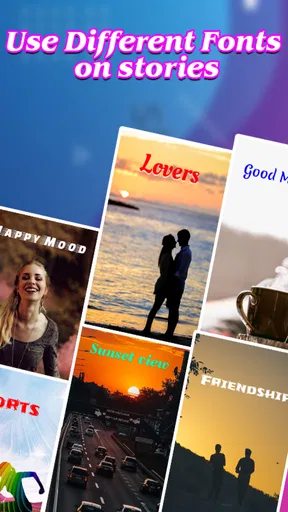
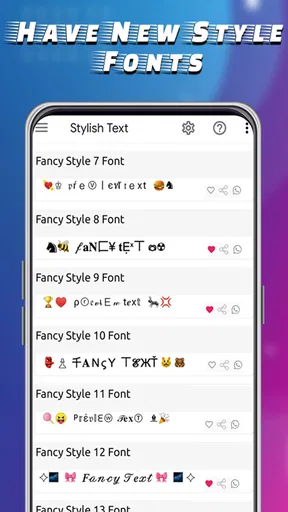
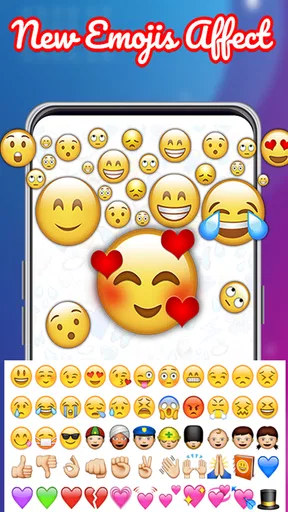
 Analysis by AppCompare
I judge a font keyboard by a simple question: does it make everyday messages more expressive without making typing feel like work? That is the promise behind Stylish Fonts Keyboard, a free personalization app from DictionaryAndTranslator. Its focus is decorative text and a customizable keyboard, so it makes the most sense for people who enjoy changing the look of short messages, profile text, or captions rather than anyone seeking a complete writing or productivity tool.
Before making it your regular keyboard, think about where you plan to use the text. A playful style can make a quick social post feel more like yours, while the same lettering may be harder to read in a long message or look out of place in a work conversation. I’d treat font changes as an accent: pick a style for a particular moment, then switch back when clarity matters more than decoration.
A good fit for expressive, short-form typing
The app is best suited to someone who sends plenty of casual messages and likes to personalize a caption, status, or greeting now and then. It gives you a way to make those small bits of text feel less plain without having to design an image first. If your main goal is to make a few words stand out, a keyboard-based approach can be quicker than opening a separate graphic editor, creating a design, and sharing it as a picture.
There are trade-offs, though. Decorative characters can be less comfortable to read, and different apps may display them differently. I’d avoid relying on stylized text for important details such as instructions, addresses, or anything a recipient needs to scan quickly. A practical habit is to keep the main information in ordinary text and use a decorative style only for a greeting or a brief emphasis.
What to check before switching keyboards
Because this is a keyboard rather than a font-only editor, getting started means choosing it as your active typing option. That change is worth considering before you make it your default: a keyboard handles everything you type, not just the occasional caption. If you only want to decorate a phrase once in a while, keeping your usual keyboard for normal writing and switching when needed may suit you better, if that workflow is available on your device.
It also helps to test a style in the actual place you intend to post it. A font preview can look appealing, but the result may feel crowded in a narrow chat bubble or less legible in a profile field. Try a short, low-stakes message first, check how it appears after sending, and keep a plain-text version ready for anything that needs to be understood immediately. That small check can save you from discovering a display mismatch in the middle of an important conversation.
Getting Started: First Impressions
When I first downloaded Stylish Fonts Keyboard, I wasn't quite sure what to expect. I mean, how much can you really do with fonts? But boy, was I in for a surprise! The installation was super straightforward. Just a quick download from the app store, a couple of taps to set it up as my default keyboard, and voilà, I was ready to go.
Worth Reading Before You Choose

EA SPORTS FC Mobile 26 Is a Bigger Football Game, but It Takes Time

Flipboard Shows What News Apps Must Do Beyond the Feed

Switching to Android Auto Means Rethinking Your Driving Routine

Google Calendar Makes a Crowded Week Easier to Manage

Ludo King Makes the Most of the Minutes Between Plans

Baby Panda World Brings Quick Play to Modern Phones, but Its Game Library Feels Busy
The interface is sleek and user-friendly. Everything is laid out in a way that's easy to navigate, even for someone like me who's not the most tech-savvy. The app immediately greets you with a plethora of font options, and honestly, it felt like discovering a treasure trove of creativity.
Features That Stand Out
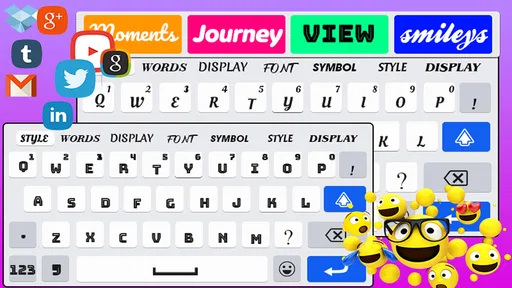
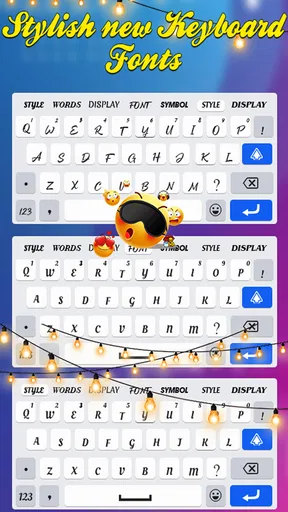
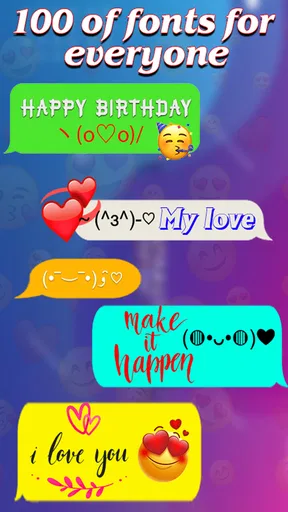
One of the best features of this app is the sheer variety of fonts available. We're talking over 100 different styles! From bold and edgy to cute and whimsical, there's something for every mood and occasion. It's like having a wardrobe of fonts at your fingertips. You can switch things up depending on whether you're feeling playful or professional.
There's also this cool feature where you can customize your keyboard's background. You can choose from a selection of wallpapers or upload your own. It's a nice touch that lets you personalize your typing experience even further. Plus, there's no need to worry about ads popping up every two seconds—it's refreshingly minimal in that department.
Using the App: Day-to-Day Experience
Incorporating the fonts into my daily texting was a breeze. Once you've selected your desired style, it automatically applies to your keyboard. So, every time you type, your text appears in the chosen font. It's as simple as that! I've been getting compliments left and right from friends who notice the stylish touch in my messages.
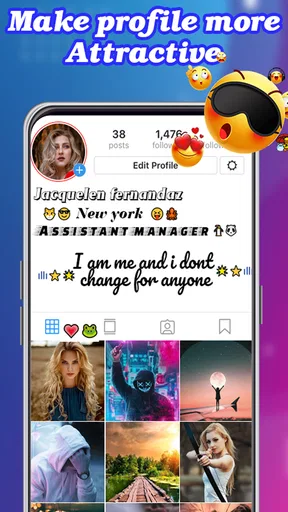
For an everyday example, I’d use a decorative style for a birthday greeting or a short caption, then switch back to plain text for directions or a longer conversation. That keeps the visual flourish where it adds personality instead of making every sentence harder to scan. If you’re choosing a look for a public profile, I’d also try the text in the final field before saving it; a style that works in a message may take up too much visual space elsewhere.
The app also integrates seamlessly with various messaging platforms. Whether you're on WhatsApp, Instagram, or just sending a plain ol' text, the fonts transition smoothly across apps. I did notice that some fonts look better on certain platforms, but that’s more about the app's UI rather than any fault of the keyboard itself. It’s usually just a matter of tweaking the size or style to get it just right.
Where other options make more sense
Compared with a conventional keyboard, this app puts visual personality ahead of a plain, restrained typing experience. That distinction is useful if you enjoy styling messages, but it is not automatically an improvement for every task. Someone who types long notes, handles work chats, or prioritizes predictable readability may be happier sticking with their familiar keyboard and using a dedicated text or image editor only when a design is needed.
Those alternatives solve different problems. A regular keyboard keeps ordinary writing straightforward; a graphics app gives more control over a designed image; and a font keyboard is convenient when you want styled characters directly in a message. I would choose based on the destination: use this app for brief text that benefits from personality, a design tool for a polished visual, and plain typing when the message itself matters more than its appearance.
Small habits that make it easier to use
One useful way to avoid overdoing the effect is to settle on a dependable everyday style and reserve more dramatic lettering for occasional messages. That makes it easier to keep your tone consistent, and it saves you from browsing through options every time you open a chat. I’d also keep a mental note of which styles remain clear at a glance; novelty is fun, but an unreadable greeting has missed its purpose.
The keyboard background is a separate part of the experience from the text you send. You can choose a wallpaper or use your own image to make the typing screen feel personal, but that visual choice does not guarantee that the message itself will be easier to read. I’d pick a background that leaves the keys easy to distinguish and judge the text style on its own merits rather than assuming one customization improves the other.
Cost, compatibility, and who should pass
The app is free to download and is rated for Everyone, so trying it does not require paying upfront. It has optional in-app purchases, with listed items ranging from under a dollar to around a hundred dollars. I’d look carefully at any purchase screen and decide whether the available free experience already covers your needs before spending; the basic appeal here is personalizing text, not buying a necessity for everyday communication.
It has an average rating of 4.5 from around 35,000 ratings and over 5 million installs, which suggests it has found an audience among people who want this kind of customization. It was released in January 2023, and version 8.1.0 supports Android 5.0 and later. Those details make it a plausible option for a broad range of Android devices, though I’d still check that your own device meets the minimum requirement before installing.
I’d skip it if you rarely send decorative text, strongly prefer your current keyboard, or need every message to remain easy to read across different screens. It is also not the right substitute for a proper layout tool when you need precise control over a finished graphic. If you do try it, the simplest way to judge whether it belongs in your routine is to use it for a few casual messages, test the styles in the apps you actually use, and see whether switching keyboards feels worth the visual payoff.
Final Thoughts: Is It Worth It?
So, is Stylish Fonts Keyboard worth downloading? I'd say a resounding yes! It's a delightful way to add some personality to your texts and stand out from the crowd. Plus, with the custom backgrounds, it's like having a little piece of art right under your fingertips.
If you're someone who loves expressing themselves creatively, this app is definitely up your alley. It's easy to use, packed with features, and doesn't bombard you with ads, which is always a plus in my book. Whether you're a texting enthusiast or just someone looking to spice up their messages, give it a whirl. You might just find yourself having way more fun with your keyboard than you ever thought possible!
Pros
- Extensive font collection enhances creativity.
- Easy integration with social media apps.
- User-friendly interface for quick navigation.
- Regular updates with new font styles.
- Supports multiple languages and emojis.
Cons
- Some fonts require in-app purchases.
- Occasional ads can be disruptive.
- Limited customization for free users.
- May slow down typing speed slightly.
- Not all fonts support special characters.
FAQs for Stylish Fonts Keyboard
What features does Stylish Fonts Keyboard offer?
Stylish Fonts Keyboard provides a wide variety of font styles to enhance your text messaging and social media posts. It includes over 100 unique fonts, diverse themes, and vibrant emojis to personalize your typing experience. The app also supports multiple languages, making it versatile for global users.
Is Stylish Fonts Keyboard easy to use for beginners?
Yes, Stylish Fonts Keyboard is designed with user-friendliness in mind. The interface is intuitive, allowing users to easily switch between fonts and themes. The app includes a quick tutorial for first-time users, ensuring that even those with minimal tech experience can navigate it effectively.
Does Stylish Fonts Keyboard affect my device’s performance?
The app is optimized to run smoothly on both Android and iOS devices without significantly affecting performance. It uses minimal resources, ensuring that your device’s speed and battery life remain largely unaffected. Regular updates are provided to enhance efficiency and compatibility.
Is it safe to use Stylish Fonts Keyboard on my device?
Stylish Fonts Keyboard is committed to user privacy and security. It does not collect personal data without consent. The app follows strict privacy guidelines and is regularly updated to address security concerns. However, users should always download apps from official stores to minimize risks.
Are there any in-app purchases in Stylish Fonts Keyboard?
While Stylish Fonts Keyboard offers a range of free fonts and features, some premium fonts and themes are available for purchase. Users can choose to upgrade for an ad-free experience and access exclusive content, but the free version provides ample functionality for casual users.


